








Skip to content

The school concert,
from every row.

The concert, the fair, sports day, the prom. Parents, staff, and older students shoot onto one private roll, and nothing goes on a public page.

  • 01

    The stage from every angle

    Parents shoot from where they sit, and every photo lands on the same roll.

  • 02

    Private by default

    No public gallery, no feed, no search. The host decides what develops and can delete anything.

  • 03

    For 13 and over

    Guests are 13 or older, or 16 or 18 where local law says so.

The school year, from the people who were there.

Setting up a school roll

papershot is a school event photo sharing app: one private roll for the fair, the concert, sports day, or the prom, a camera on every parent's phone, and a shot list to steer the photos. Guests are 13 or older, nothing appears on a public page, and the roll develops when the host says.

  1. 01

    Check the school's photo policy

    Many schools have one. Agree who hosts, who joins, and what can be shared before you make the moment.

  2. 02

    Make the moment

    Name it, set the window from the doors opening to the last song, and pick a size from 8 guests to unlimited.

  3. 03

    Share it with families

    Send the link in the parents' group, or print the card for the entrance. Parents join with the app. No account.

  4. 04

    Review, then develop

    Set the reveal for after, delete anything that does not belong, and download what you want to keep.

Guest Lens

A shot list for the fair and the concert

Paste these into Guest Lens. Each one ticks itself off when someone shoots straight from it.

  1. 1The hall, filling up
  2. 2The first song, from the back row
  3. 3The teachers, all in one photo
  4. 4The busiest stall at the fair
  5. 5The cake stall before it sells out
  6. 610 seconds of the applause
  7. 7The sports day finish line
  8. 8Friends, at the end of the year
  9. 9The volunteers who made it happen
  10. 10The empty hall, after

Memos

Memo questions for families

One question for every guest. The answers play back like voice messages, with their faces.

  • “What was your favourite part of today?”
  • “Say a few words for the class.”
  • “What will you remember about this year?”
  • “Leave a message for the teachers.”
  • “Describe today in one word.”
  • “What would you tell next year's families?”

Who sees the roll

A school roll is for the people in it: no public gallery, no search, and no feed. Before it develops, guests see a blurred tile for each photo, with who added it and when. The host sees everything as it arrives, can stop a guest posting, and can delete anything. Anyone can report or block, and every upload's thumbnail is screened by an automated service.

Every guest is 13 or older, or 16 or 18 where local law says so. Check your school's photo policy before you share the link, and see private photo sharing for events for who sees what, and when.

The front, the side, and the back

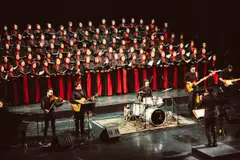
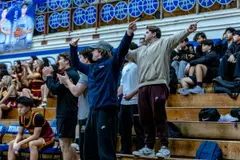
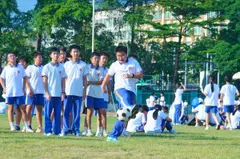
At a school concert the best seat goes to whoever arrived first. With a shared roll every parent shoots from where they are, so the stage arrives from the front, the side, and the back, and sports day arrives from every corner of the field.

For the end of the year, see graduation party photo ideas and the graduation page.

What is on the roll

More than photos.

Every moment collects three kinds of media, and the tools to do something with them.

FAQ

Frequently asked questions

Do parents need an account?

No. They need the app, on iPhone or Android, but not an account.

Can students join?

Students who are 13 or older can, or 16 or 18 where local law says so. Younger pupils cannot join a roll.

Is the roll public?

No. A roll is for the people in it: no public gallery, no search, no feed. The host can delete anything.

Who should host?

One person, agreed with the school: a teacher, a member of staff, or someone from the parents' association.

Can we moderate photos?

Yes. The host sees everything as it arrives, can stop a guest posting, and can delete anything. Anyone can report or block.

How many families can join?

Up to 4 guests on a free moment, then sizes from 8 guests to unlimited.

How long are photos kept?

48 hours after the roll closes on a free moment, 30 days on a paid one. Download what you want to keep at full resolution.

The end of term deserves
more than one camera.

Check the photo policy, then make the moment.